How to Merge Applicants/Prospects in CRM
Have you ever had roommates (or a couple) submit two separate applications, versus one of them filling out a roommate application? Did you know there is a way to merge applicants/prospects? Below are the steps.
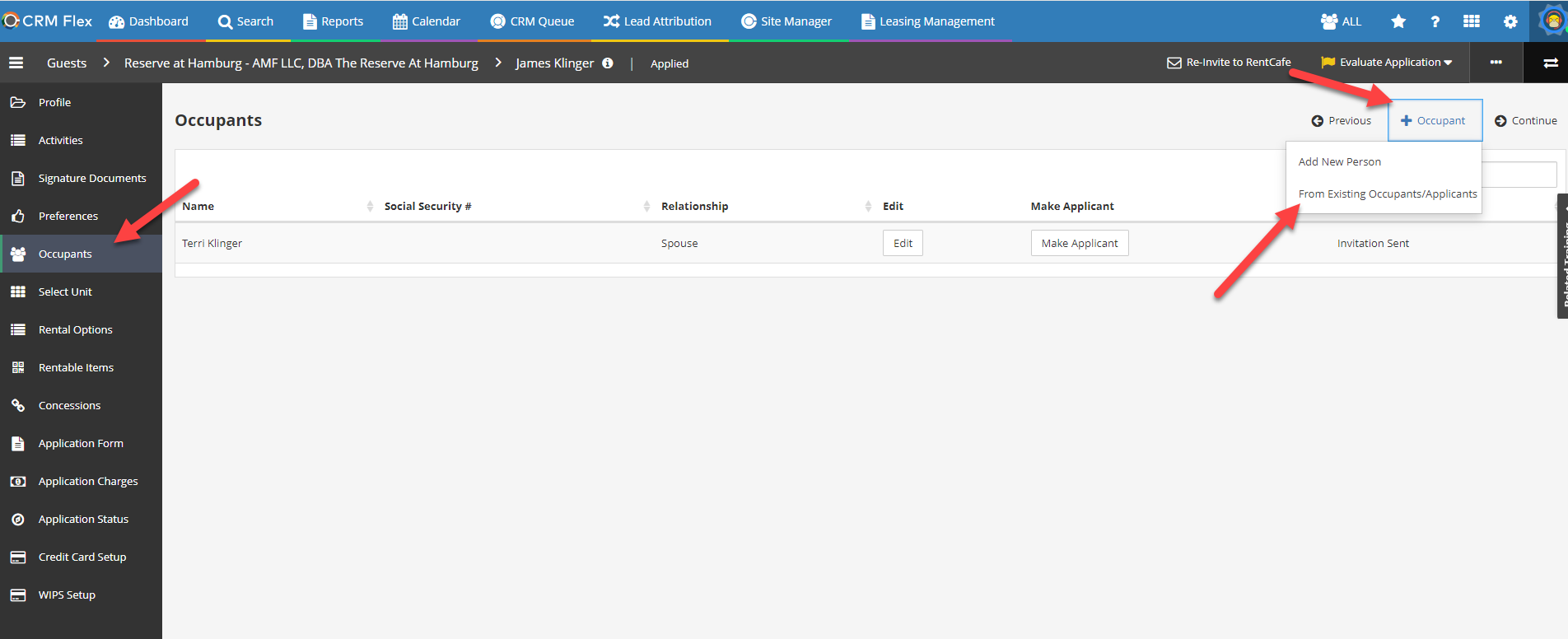
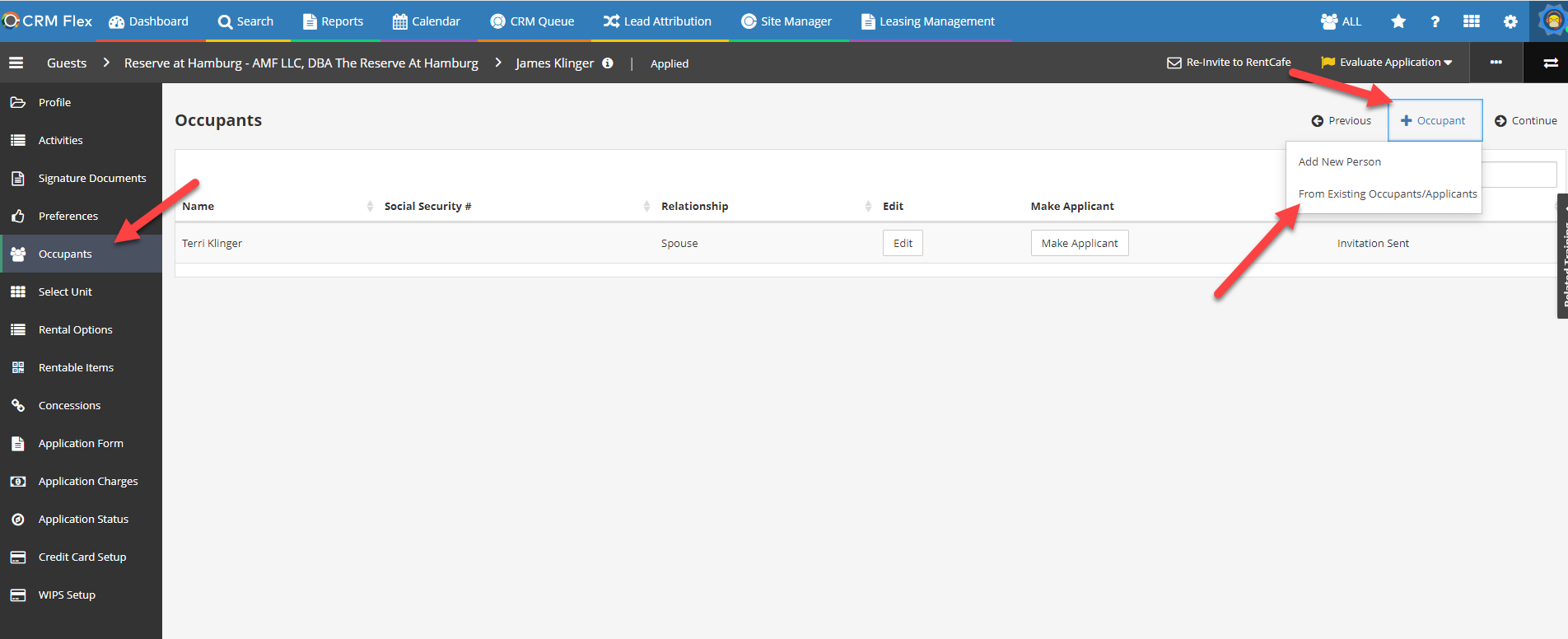
1. Go the primary applicant's profile > Click the Occupants tab > click "+Occupant" > Click "From Existing Occupants/Applicants

2. Enter the first and last name of the applicant you want to add > click search > find the applicant you want to add and click " Add to Group". ( In the event you have a duplicate roommate name it will show a soft warning asking you want to continue or not. You can click "OK" here and delete the duplicate record afterwards. If you don't have a duplicate record, you will not see this soft warning.)
3. Review the options on the next screen and then click "Update". The reason for cancel should always be "Applicant Grouping" since we are essentially "cancelling" the primary prospect record and making them an occupant on another primary account.
4. Once the grouping is complete, you will then see the applicant info on the occupant section!
1. Go the primary applicant's profile > Click the Occupants tab > click "+Occupant" > Click "From Existing Occupants/Applicants
2. Enter the first and last name of the applicant you want to add > click search > find the applicant you want to add and click " Add to Group". ( In the event you have a duplicate roommate name it will show a soft warning asking you want to continue or not. You can click "OK" here and delete the duplicate record afterwards. If you don't have a duplicate record, you will not see this soft warning.)
3. Review the options on the next screen and then click "Update". The reason for cancel should always be "Applicant Grouping" since we are essentially "cancelling" the primary prospect record and making them an occupant on another primary account.
4. Once the grouping is complete, you will then see the applicant info on the occupant section!
Related Articles
How to Reset Lease Charges in CRM
From time to time, lease charges may be added or modified at the property level. (For example, your property now charges wifi/cable where it previously did not.) When this happens, the charges automatically appear for any new applicant/move-in ...Site Manager Buttons Disappeared - Can't Click or Access Anything Other Than Site List
Have you ever seen an instance where you open RentCafe Site Manager, and none of the normal buttons/menu options are available? This will happen if you attempt to open RentCafe CRM and RentCafe Site Manager at the same time. It's something about the ...How to Add Permanent Maintenance Notes for Resident Work Orders
Sometimes, residents may want to add permanent notes to their profile that they always want maintenance to remember/follow. For example, wearing shoe covers in the home. There is a way in Yardi to add these notes to the resident's profile so that ...