Cannot Moveout Resident - Rentable Item Related
Rentable items can be tricky, especially when it comes to onsite transfers. What happens is, the rentable items transfers and shows up as a future rentable item. However, the rentable item was also still showing as currently attached to the old resident profile. Essentially, the rentable item being on two profiles at once causes the system to error out.
To correct these examples-
1. Release rentable item from Future/Current move-in (new resident record).

2. Move out On Notice resident (original resident record). Now that the future item has been released, we should not get the error upon using the move-out function.
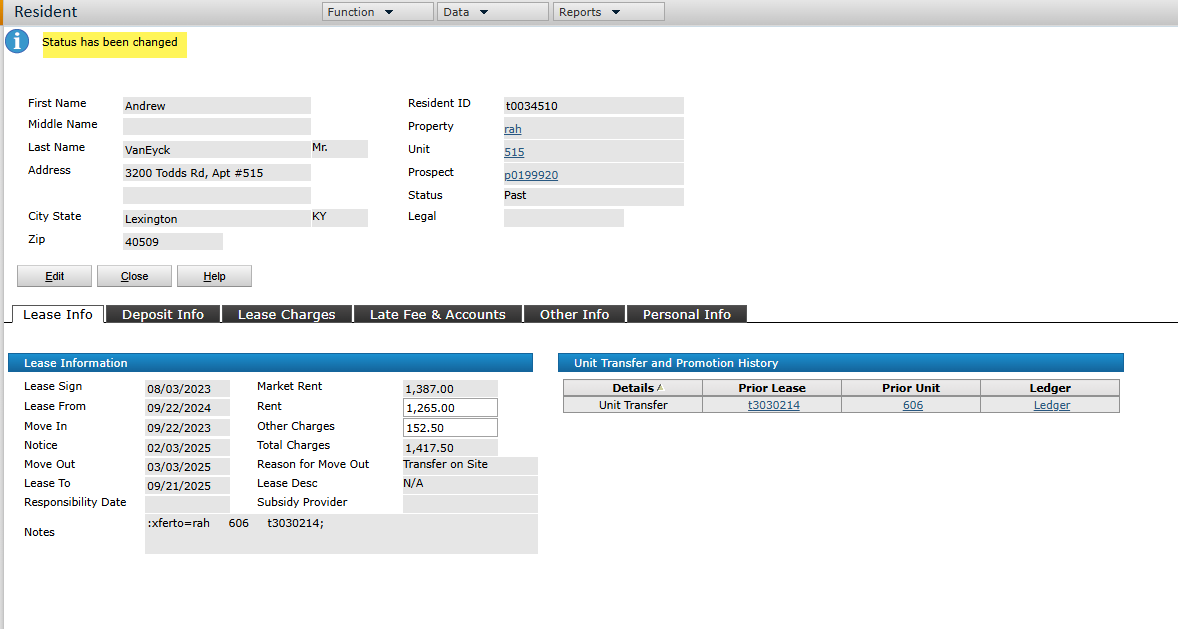
3. Go back to new resident record and reassign the rentable item.
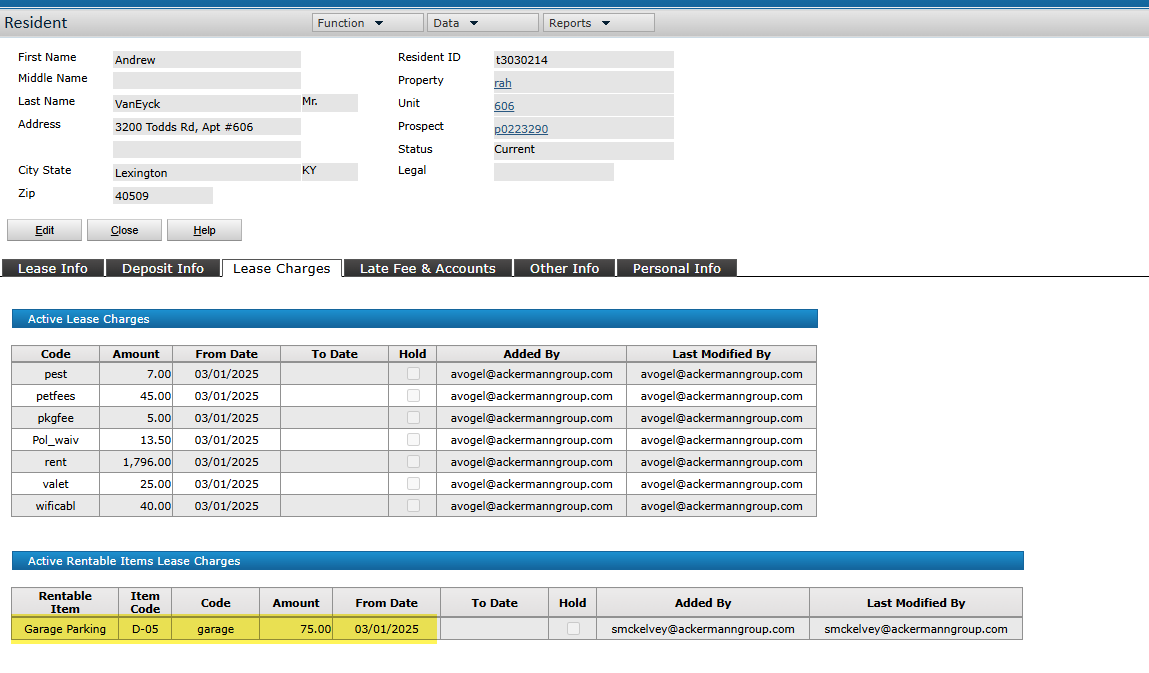
To correct these examples-
1. Release rentable item from Future/Current move-in (new resident record).
2. Move out On Notice resident (original resident record). Now that the future item has been released, we should not get the error upon using the move-out function.
3. Go back to new resident record and reassign the rentable item.
Related Articles
Troubleshooting Resident Payments - Debit & CC
When a resident makes a debit or credit card payment, we can review the status of those payments by going to the Credit Card Dashboard in Voyager. To get there, go to Voyager > Roles > Payment Processing Admin. On the next screen (titled: Payments ...How to Add Permanent Maintenance Notes for Resident Work Orders
Sometimes, residents may want to add permanent notes to their profile that they always want maintenance to remember/follow. For example, wearing shoe covers in the home. There is a way in Yardi to add these notes to the resident's profile so that ...Resident Bank Account Numbers Don't Match - Chase Bank - Tokenized Account Numbers
Sometimes, you may have residents report that the last 4 digits of the bank account associated to their resident profile do NOT match the last 4 digits of their actual account. If this happens, first, please confirm which bank they use. If they use ...