Troubleshooting Resident Payments - Debit & CC
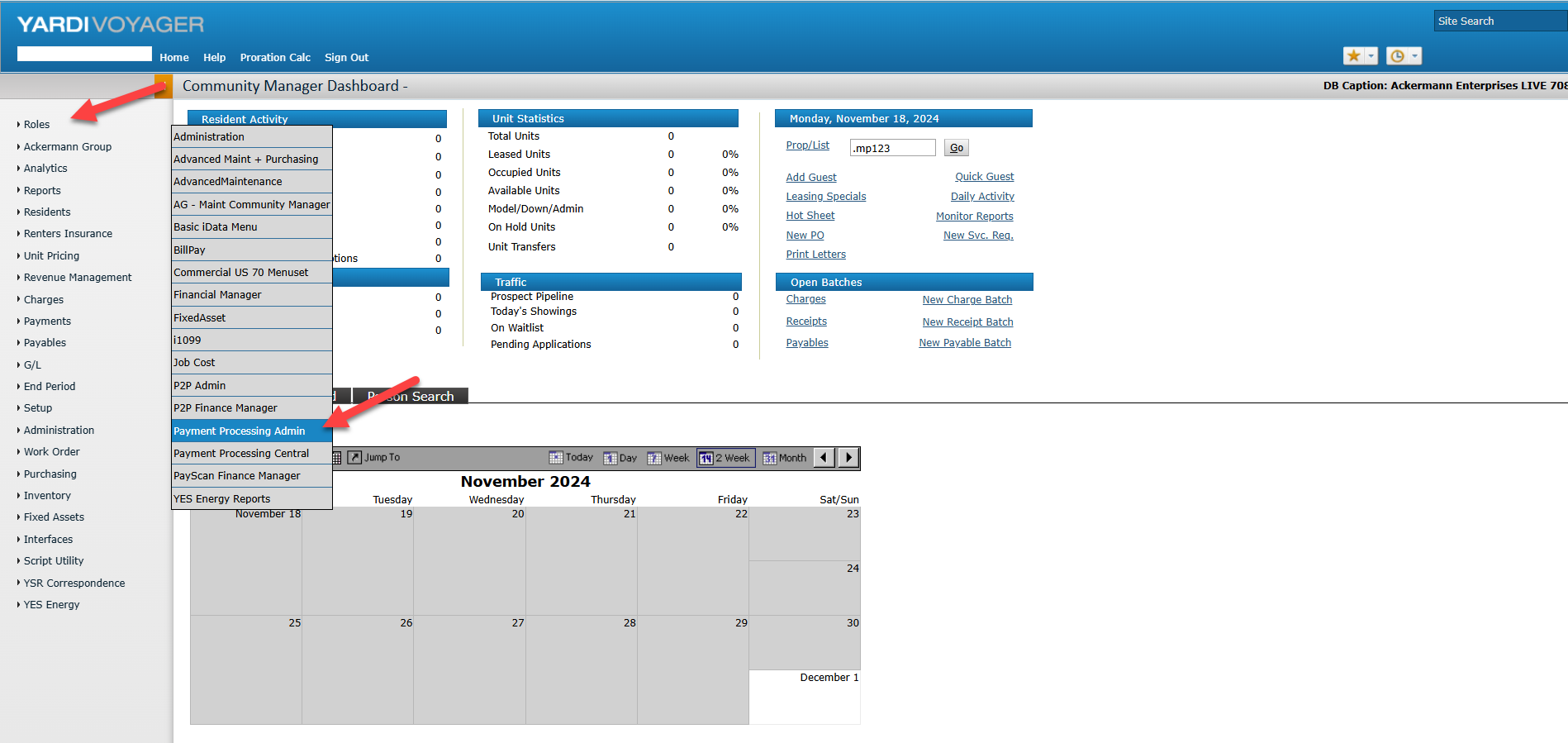
When a resident makes a debit or credit card payment, we can review the status of those payments by going to the Credit Card Dashboard in Voyager.
To get there, go to Voyager > Roles > Payment Processing Admin. On the next screen (titled: Payments Dashboard) click the Credit Card Dashboard link.
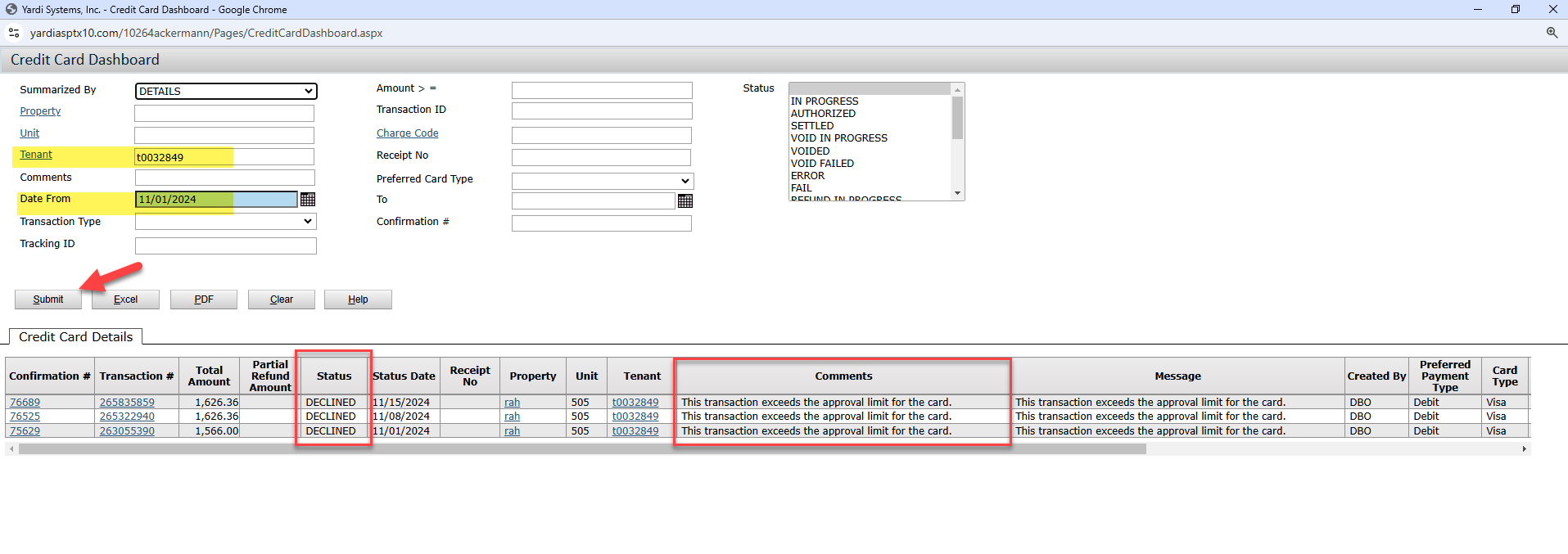
On the next screen, enter the resident's t-code and the set the "from date". If you're wanting to search all payments made/attempted in November, you would set the date from as 11/2024. Then click submit. Any payment records found will appear below.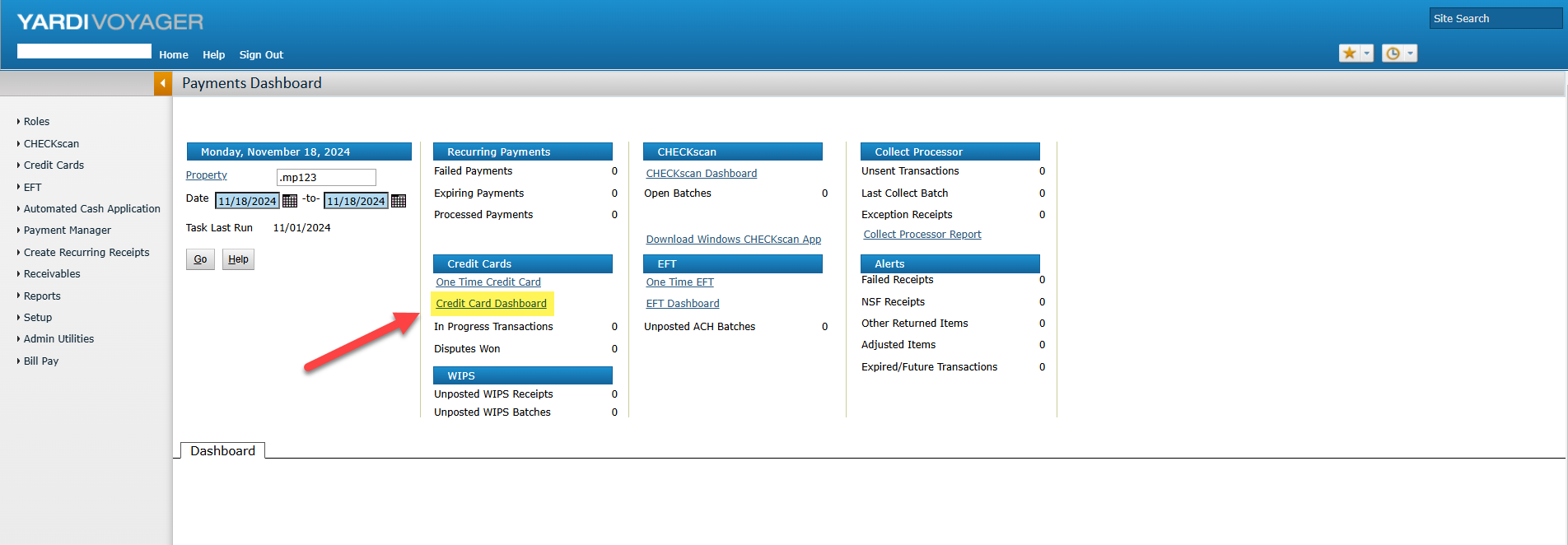
To get there, go to Voyager > Roles > Payment Processing Admin. On the next screen (titled: Payments Dashboard) click the Credit Card Dashboard link.
On the next screen, enter the resident's t-code and the set the "from date". If you're wanting to search all payments made/attempted in November, you would set the date from as 11/2024. Then click submit. Any payment records found will appear below.
For this example resident, we can see that they attempted to make a payment three (3) times in November. Each time, the payment was declined due to the transaction limit exceeding the approval limit of the card.
We can also drill down further to see additional details, such as the card number. This can be found by clicking the Confirmation Number on the transaction record. Here, we can see they attempted to make the payment using card ending in 9655.

With all of that said, in the event a resident has a failed or declined payment, we should first advise the resident to reach out to their banking institution for more information. Should issues persist after their speak with their bank, we can escalate the issue to Yardi for further review.
With all of that said, in the event a resident has a failed or declined payment, we should first advise the resident to reach out to their banking institution for more information. Should issues persist after their speak with their bank, we can escalate the issue to Yardi for further review.
Related Articles
Cannot Moveout Resident - Rentable Item Related
Rentable items can be tricky, especially when it comes to onsite transfers. What happens is, the rentable items transfers and shows up as a future rentable item. However, the rentable item was also still showing as currently attached to the old ...How to Add Permanent Maintenance Notes for Resident Work Orders
Sometimes, residents may want to add permanent notes to their profile that they always want maintenance to remember/follow. For example, wearing shoe covers in the home. There is a way in Yardi to add these notes to the resident's profile so that ...Resident Bank Account Numbers Don't Match - Chase Bank - Tokenized Account Numbers
Sometimes, you may have residents report that the last 4 digits of the bank account associated to their resident profile do NOT match the last 4 digits of their actual account. If this happens, first, please confirm which bank they use. If they use ...